
The Ultimate AI Toolkit
Grow to Success 24/02/23

Content:
Personal Journey Update
Twitter Thread
Video
The Ultimate AI Toolkit
Top 5 Web3 News Articles this Week
Weekly Fact
Quote of the Week
Moving Back to my Original Passions
Over the past week, I've been exploring new forms of content creation. Given my passion for gaming, I decided to delve into gaming content, despite being occupied with work, video production, and newsletter writing. While I didn't mind not having enough time for gaming, I realized that I could leverage this passion to create engaging video content for my YouTube channel. So, I started recording my gameplay and have already created a few short videos while playing Hogwarts Legacy.
I thoroughly enjoyed editing the gameplay footage, and I can foresee myself creating more gaming content in the future. While I will continue creating crypto-related content, I must note that gaming is one of the subjects my brand focuses on, so it makes sense to invest more time in it.
Rest assured, I will keep you updated on my journey and let you know how this change works out.
In case you're interested, I've provided a link to my YouTube Gaming channel below:

Twitter Thread


Video

The Ultimate AI Toolkit
I've compiled a comprehensive list of AI resources while categorising them to make it easier to find the ones that are relevant to you. Although I haven't personally tried all of these tools, I have thoroughly researched their websites and only included those that offer unique features. I would have enjoyed testing all of these resources, however, providing my personal information to each one would have resulted in an excessive amount of unwanted spam.
In my opinion, AI represents a crucial stage in technological advancements and knowing how to use it will be a valuable skill in the near future, even if not a required one. However, it's important to remember that AI should only be used as a supplement to human effort, not as a replacement.
The list consists only of AI tools that offer something special and to ensure the list isn’t oversaturated I've made sure to exclude those that are not very helpful. While most of the tools are free, some may require payment after a free trial period, so be cautious when signing up.
Without further ado, here is my curated list of AI tools to assist you on your path to success.
AI Search Engines
Rewind = This search engine tracks your online activities, including everything you've viewed, spoken, and heard. It uses this data, which is securely stored on your device for privacy reasons, to provide more personalized search results tailored to your specific needs. (Free)
Perplexity = A search engine that functions similarly to ChatGPT, albeit without the conversational aspect. However, it offers transparency by displaying the resources that were used to generate its answers, making it more trustworthy and reliable when it comes to presenting factual information. (Free)
Text-to-Image AI
DALL-E = If you haven't heard of it yet, DALL-E lets you sign up for free and receive 50 credits, allowing you to generate four images at once using a text prompt. Each month, you'll receive an additional 15 credits for continued usage. If you can’t wait for your free credits you can pay $0.02 for each image or $0.16 for higher-quality images. (Free but limited)
MidJourney = Similar to DALL-E, you can generate four images at once using text prompts within the Discord platform. As a new user, you'll receive 25 free prompts. Once those are used up, ongoing access will cost $10 per month (Free but limited)
Runwayml = Transform AI-generated images. Use the AI generator to create, then edit using the AI edit tool. Simply click to change the style or replace objects within the images. (Free but limited)
Stable Diffusion = Although less powerful this is a completely free text-to-image AI that allows for unlimited use. (Free)
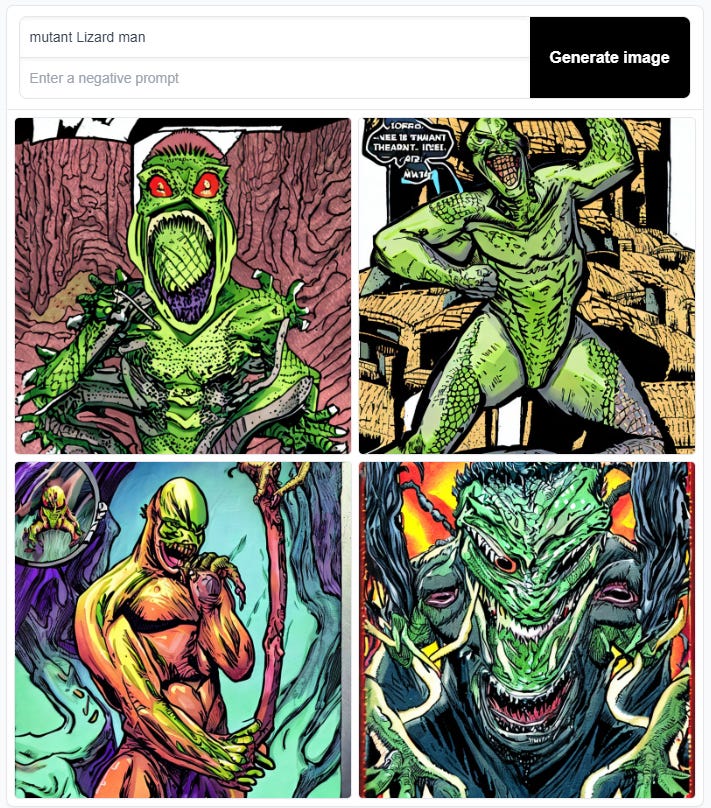
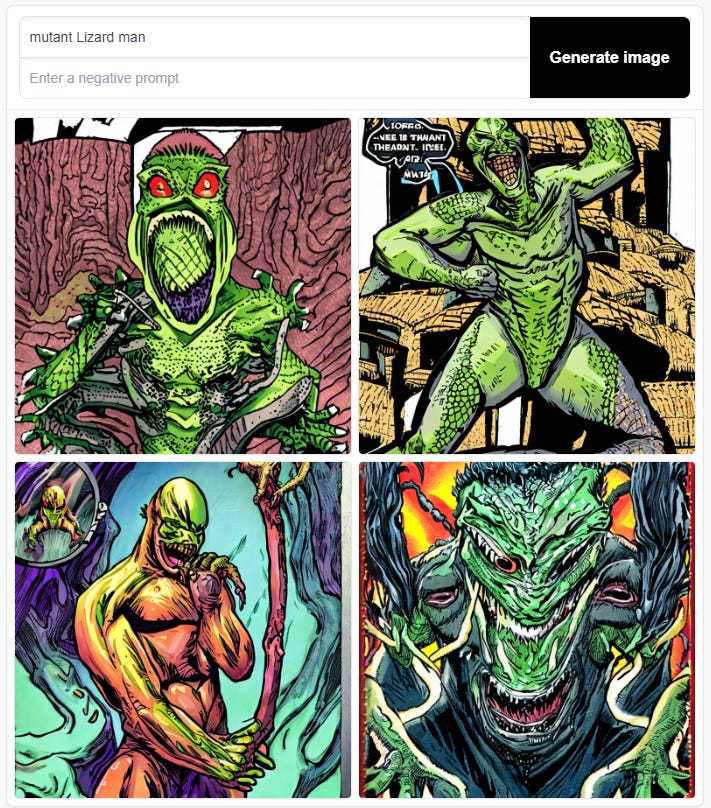
Craiyon = Similar to Stable Diffusion and just as free. Once you’ve generated an image it gives you the choice to print your ai designs on physical wearables which you can then purchase. (Free)
Speech-to-Text AI
Google Docs = If you have a Google account, you can easily create Google Docs, similar to Word documents. With this feature, you can use your microphone to transcribe your speech into text in real time, streamlining your writing process. (Free)
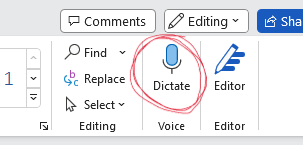
Word Document = For those who prefer working with word documents, the ‘dictate’ button is an excellent option. Additionally, the AI can automatically generate grammar where it deems necessary, making your writing even more efficient. (Free)
Text-to-Video AI
Designs.ai = This AI has a basic functionality that allows you to create a video from a script alone. The output video includes voiceover, stock footage, music, and captions. While it may not be perfect, it provides a time-saving template that can be easily edited to fit your needs. (Paid)
SuperCreator = Attention all video content creators! This app is a game-changer. Signing up is easy, but you'll need an invitation code from the developers. Simply share a link to one of your social media pages to prove that you're a creator. I had no issues with this process and it only took me two minutes.
Once you have access, the app lets you write a short prompt about the topic you want to create a video on. For example, I wrote, "Why newsletters are a great way to build an audience." The app then generates a script that is divided into segments for easy recording. It also creates stock images that can be customized to fit your style.
With the app's teleprompter, I recorded each segment and within ten minutes, I had a fully produced video ready to upload. The app does come with a monthly fee of $4, but for that price, you can create up to 20 videos a month. I highly recommend giving this app a try. (Free and paid versions)
Click here to see the video I created in 10min using this AI.
Synthesia = Video content with an AI avatar that acts as the face of your brand. Professional, lifelike representations that bring your message to life. TikTok accounts are already using this technology to engage with their audience. (Paid)
Check out this successful AI TikTok account here.
Content Generating AI
ChatGPT = You know the drill, it’s a conversational AI that you can ask anything you like. Ideal for content creators and programmers, if you haven't used it yet, now's your chance. Signing up is free and only requires a few basic details to create an account. (Free)
Sapling = This tool generates automatic replies to messages and emails, allowing you to efficiently keep up with multiple conversations at once, ensuring that no one is left waiting for a reply. (Free but limited)
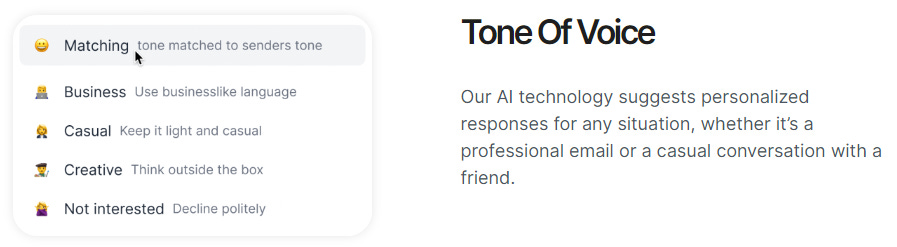
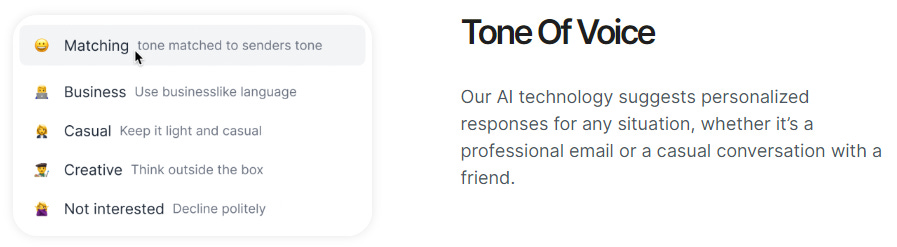
Super Reply = Like Sapling but works as a Chrome extension. It also allows you to choose a preference for the tone of voice when automatically replying. (Free but limited)
Article forge = This tool is similar to ChatGPT, but its focus is on long-form content creation. You can request specific word counts, making it a valuable asset for writing in-depth articles and reports. (Paid)
Jasper.ai = The best AI for generating long-form content, although it does come with a hefty price. (Paid)
AI Detection Tools
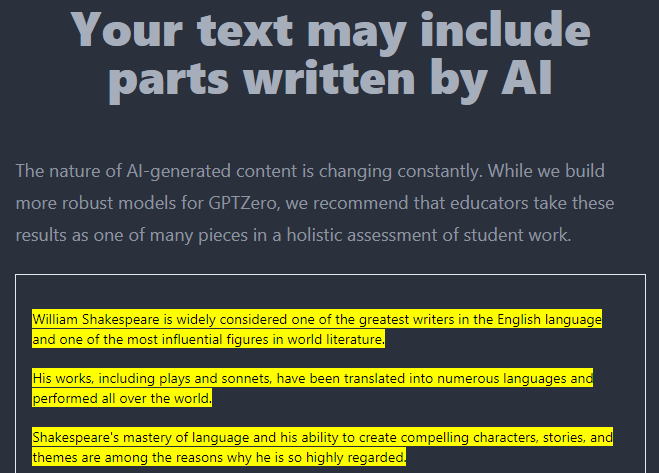
GPTzero = This tool helps identify when AI has been used to generate written content. However, its accuracy is subject to question as I tried pasting some of my own words and it still thought they were generated by AI. Maybe I am an AI, who knows ;) Regardless, the tool correctly identified the AI-generated text in the example below. (Free)
Orginality.ai = A more advanced AI detection tool. While it does require payment, the cost is very reasonable at $0.01 per 100 words. (Paid)
AI Music Tools
RoEx = Unleash your musical creativity in just minutes, even if you have no prior musical experience. With this tool, I was able to produce a sound that I would have been proud to add to my Spotify playlist. I was genuinely surprised by what the AI… I mean, I was able to create ;) I highly recommend giving it a try especially if you’re a music creator. (Free to use, pay to download your creations)
OpenAI Jukebox = Explore over 7000 examples of AI-generated sounds. Some are super weird so great for creating unique music or finding inspiration. (Free)
AI for Students
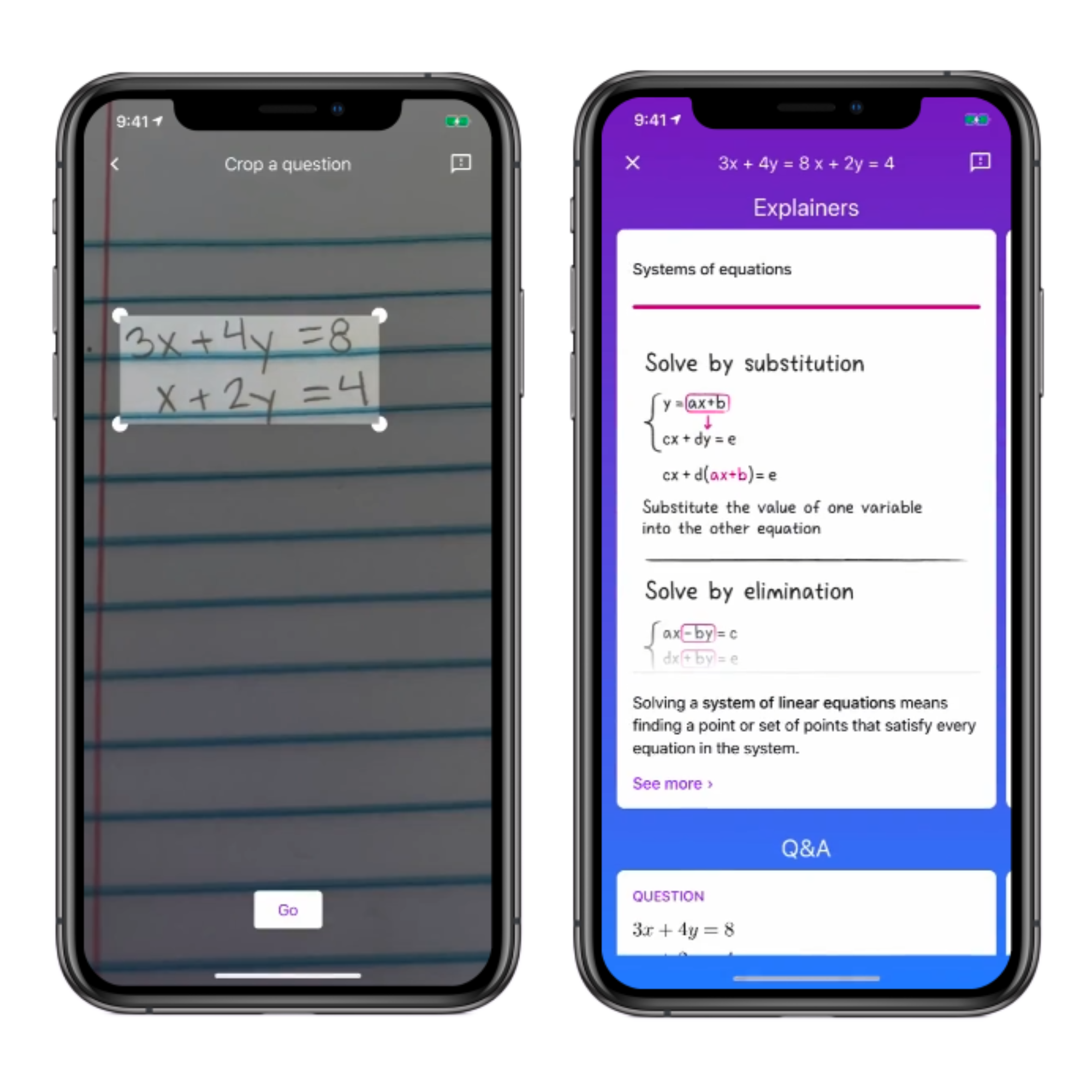
Socratic = A mobile app that solves English, math, and science questions by taking a photo. Effortlessly learn and solve problems in seconds. (Free)
Caktus = An all-in-one AI for any student. Write long essays, write code for javascript and python, and even turn youtube titles into long-form content. (Free and paid versions)
All-in-one AI
Bright Eye = Unfortunately, I was unable to try out this app as it is exclusively available on iOS. Despite this, the app is highly-regarded and functions as a comprehensive AI toolkit that consolidates all of your favourite AI features in one convenient location. With positive reviews, it is worth considering for those who have access to iOS devices. (Free)
Honourable Mentions
Pexels = Free stock images/videos. Use keywords to help the AI find images and videos most related. (Free)
Replika = Need a companion? Replika is an AI-powered chatbot that simulates human conversation and builds a personalized model of the user's language and personality over time. It offers a non-judgmental space for personal growth, stress reduction, and language learning. (Free)
Wombo.ai = Lip sync phone app. It’s free to use and it does a good job of creating funny videos using famous faces. (Free)
Excel formula bot = An extension for Excel, great for when you know what you want to do but don’t know the formula. Simply type in a short description of what you want, and it will generate the formula to make it happen. (Free but limited)
Otter.ai = Record transcripts in real-time in online meetings, and also summarise those meetings so you can take away all the key points instantly. (Free but limited)
Grammarly = Use this all the time. It works as an extension which helps me with my spelling and grammar. Highly recommend! (Free)
Lexica = With the extensive amount of artwork already produced by AI, it's highly probable that the piece you're looking for has already been created. Save yourself the cost and time of generating new artwork by exploring the existing options available for free. (Free)
Watermark remover = Says what it does on the tin. This is my go-to when removing any watermarks, not that I ever do ;) (Free)
AutoDraw = Don’t have the skills to draw what you want? No matter how bad your drawing is, this AI will recognise it. It will then give you options to turn your drawing into something a little more professional. (Free)
Reward!!
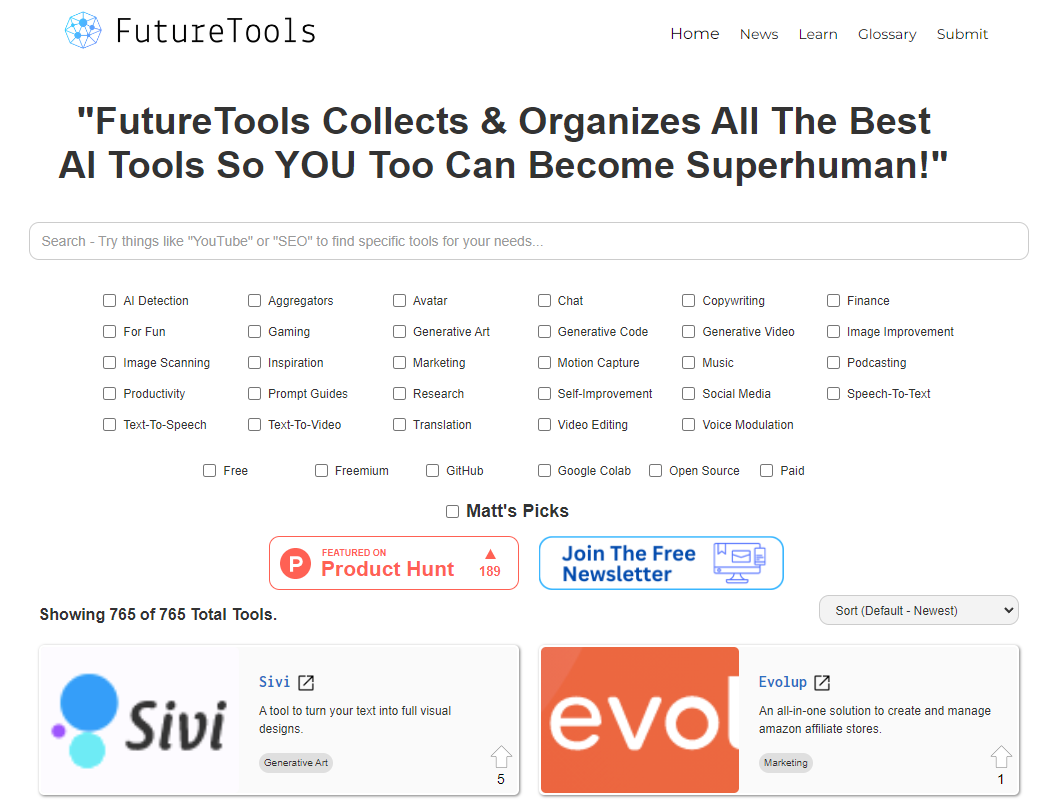
During my extensive research while compiling this list I stumbled upon an incredible website with over 700 links to online tools that you can currently use.
So as a thank you to those that subscribe and have taken the time to open this newsletter I’ll leave you the link which will hopefully help you find many more resources that can aid you in your journey to success.
For the MASSIVE list of available online tools, click here.
Top 5 Web3 News Articles This Week
US Officials Could Be Sabotaging Crypto Industry - Charles Hoskinson
NBA-Branded 'Top Shot Moments' NFTs May Be Securities, Judge Rules
ChatGPT alternative ‘TruthGPT’ launches in response to Elon Musk’s tweet
NFT marketplace Blur.io burns 252 ETH to hit top of burn leaderboard
Weekly Fact
The first commercially available 3D printer was sold in 1987 by Chuck Hull. SLA-1, sold by 3D Systems in 1987. It used a process called stereolithography to create 3D objects layer by layer using a laser to solidify a liquid photopolymer. The SLA-1 was ground-breaking as it allowed the creation of complex 3D objects previously impossible to make using traditional manufacturing methods. It paved the way for the development of many other 3D printing technologies that we use today.
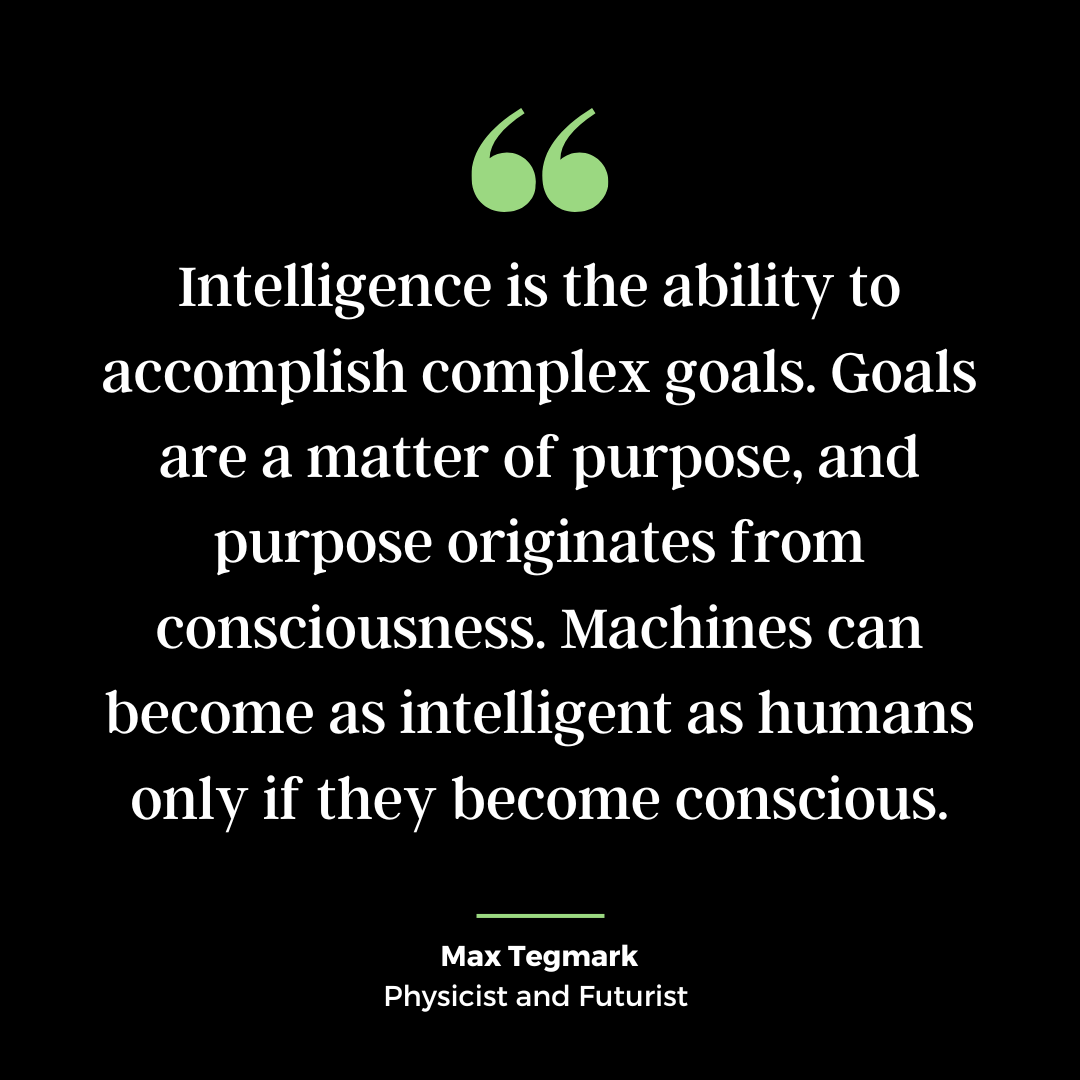
Quote of the Week
Let me know any ways you think this newsletter can be improved.
Also, feel free to drop your newsletter links down below, I’m always grateful for more inspiration.